
Seat 200 guests in minutes. Run every event on your calendar.
The seating and day-of operations tool for professional planners. Auto-seat places guests with reasoning you can audit — then generates the binder you hand your client, your caterer, and the venue. Venue layout, catering report, escort listing, VIP briefing.
Studio from $83/mo billed annually · Free to try · No credit card required
Built for
How it works
Three steps to a perfect seating chart
Upload your floor plan
Drop in any venue layout — JPEG, PNG, or PDF. Ballroom, tent, boardroom, backyard — it all works.
Place guests at tables
Add tables, drag people to seats, manage meal choices and dietary needs. See your whole event at a glance.
Share one link
Publish and share. Guests search their name and see exactly where they sit — no app, no login.
More than a seating chart
Other tools end when the chart is done. Plasey runs the event.
Guests find their seat in seconds
Share one link and guests search their name to instantly see their table assignment. The view zooms straight to their seat — no squinting at printed charts, no crowding around a poster board.
- No app download required
- Works on any phone or tablet
- Custom branded header banner
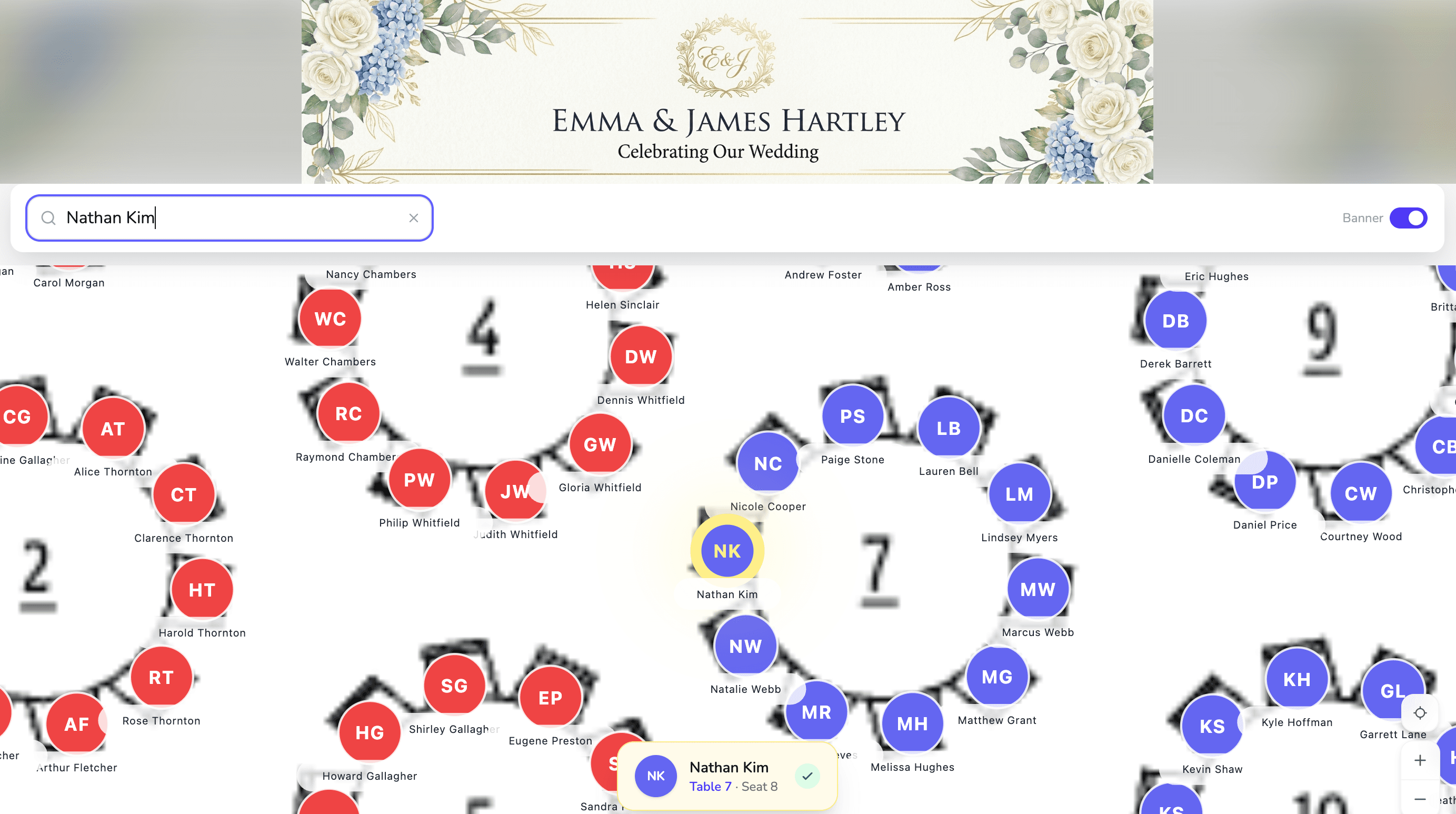
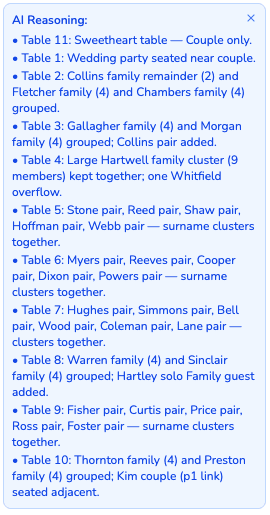
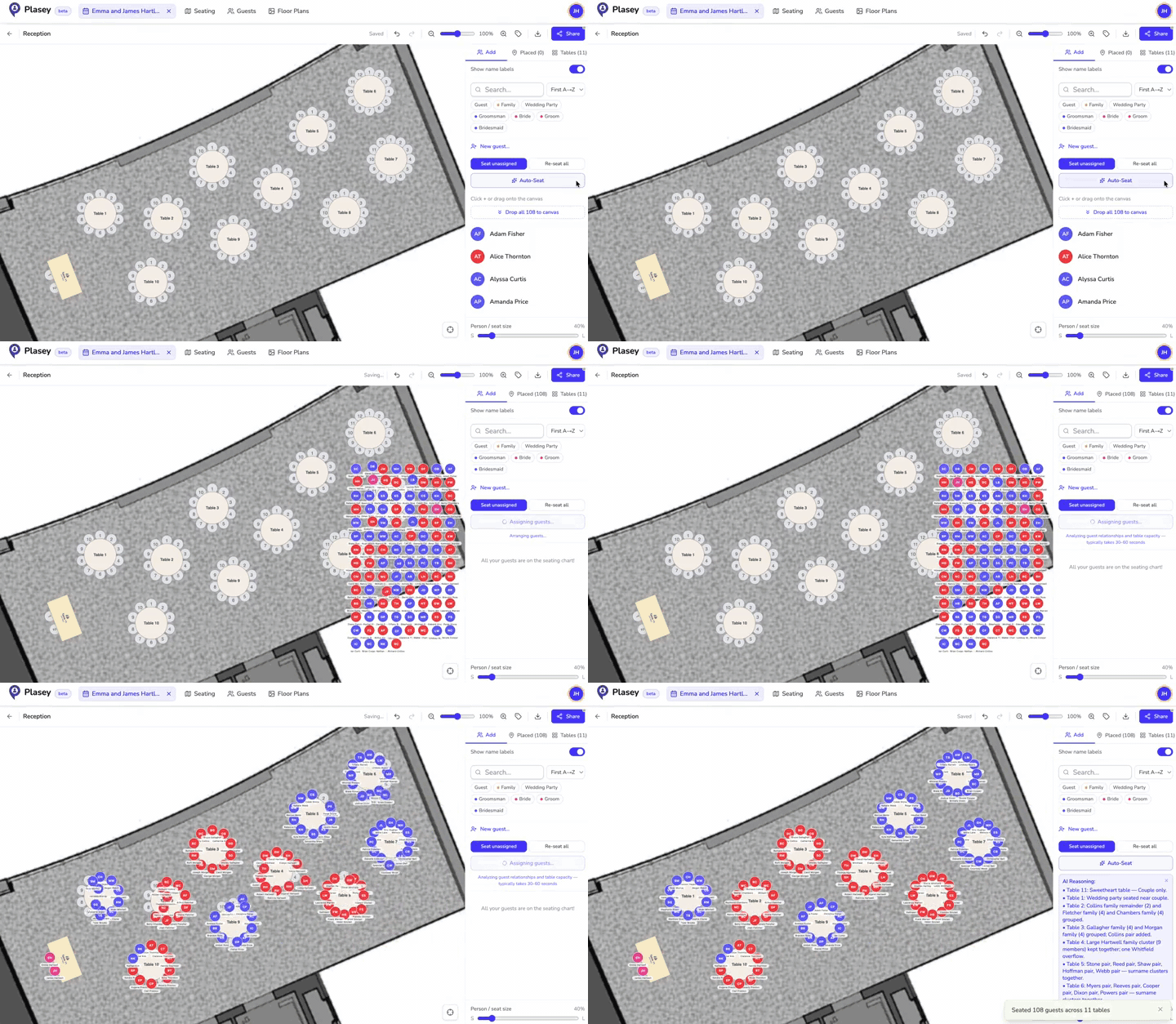
Real output · Emma & James Hartley, 108 guests
Intelligence that shows its work
After every auto-seat run, a reasoning panel lists what the AI decided at each table — which families clustered, where the head table landed, any conflicts separated, and couples kept adjacent. Audit in seconds, override anything you disagree with.
- A plain-English rationale for every table
- Families and couples clustered together
- Conflicts from guest notes respected automatically
- Every decision is fully editable after the fact
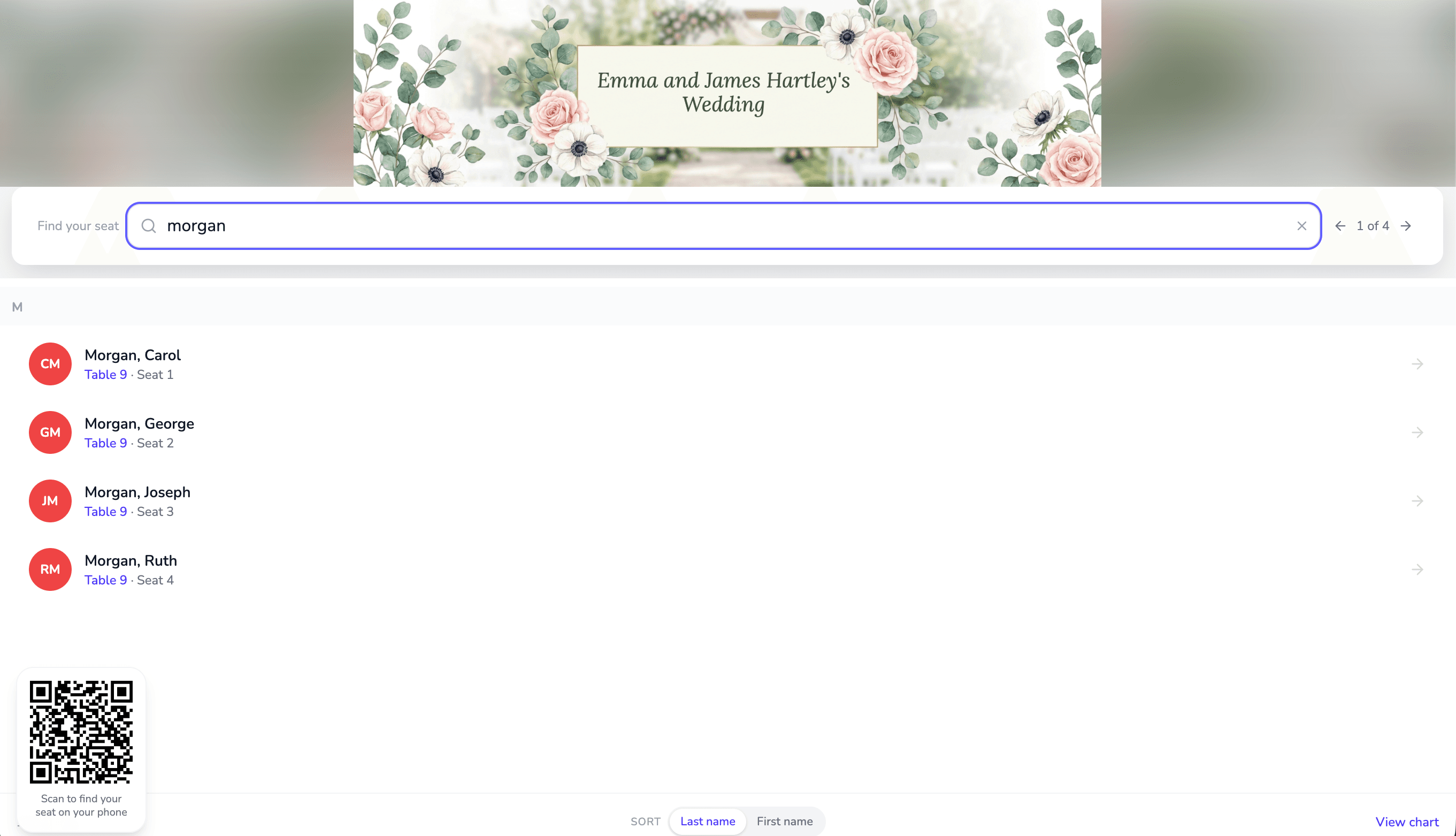
Kiosk mode at the venue entrance
Set a tablet at the door, branded to match your event. Guests type their name to find their seat — or scan the on-screen QR code to finish on their phone. The display resets itself between arrivals, so one tablet serves every guest untouched all night.
- Custom banner and typography
- QR code hands off to guests’ phones
- Type-ahead search, sorted by last name
Professional reports for every team
Export purpose-built PDFs for planners, caterers, ushers, and hosts. Allergies highlighted for kitchen staff, alphabetical listings for the door, VIP briefings for the host — all from one seating chart.
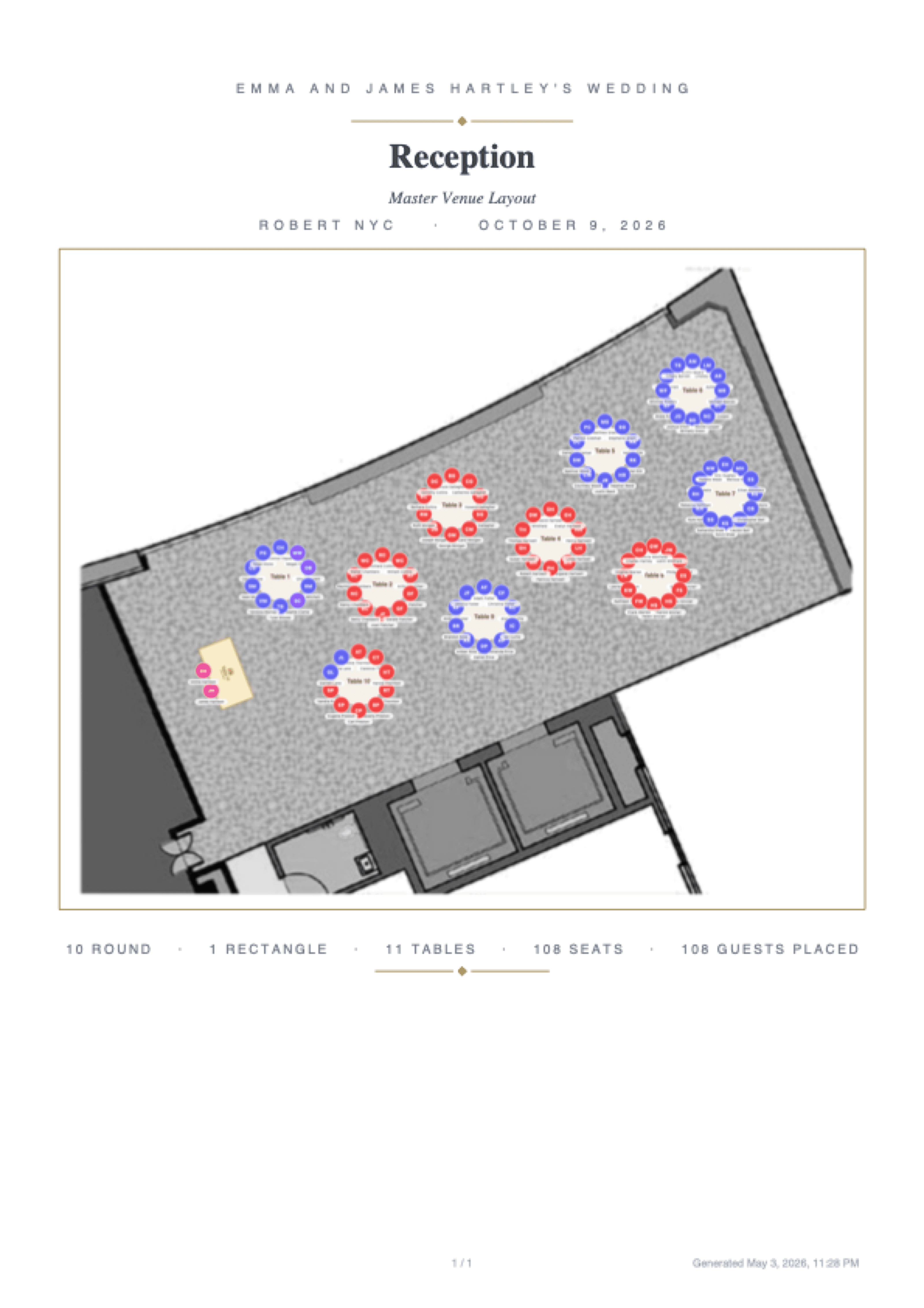
Real export · Master Venue Layout, 108 guests
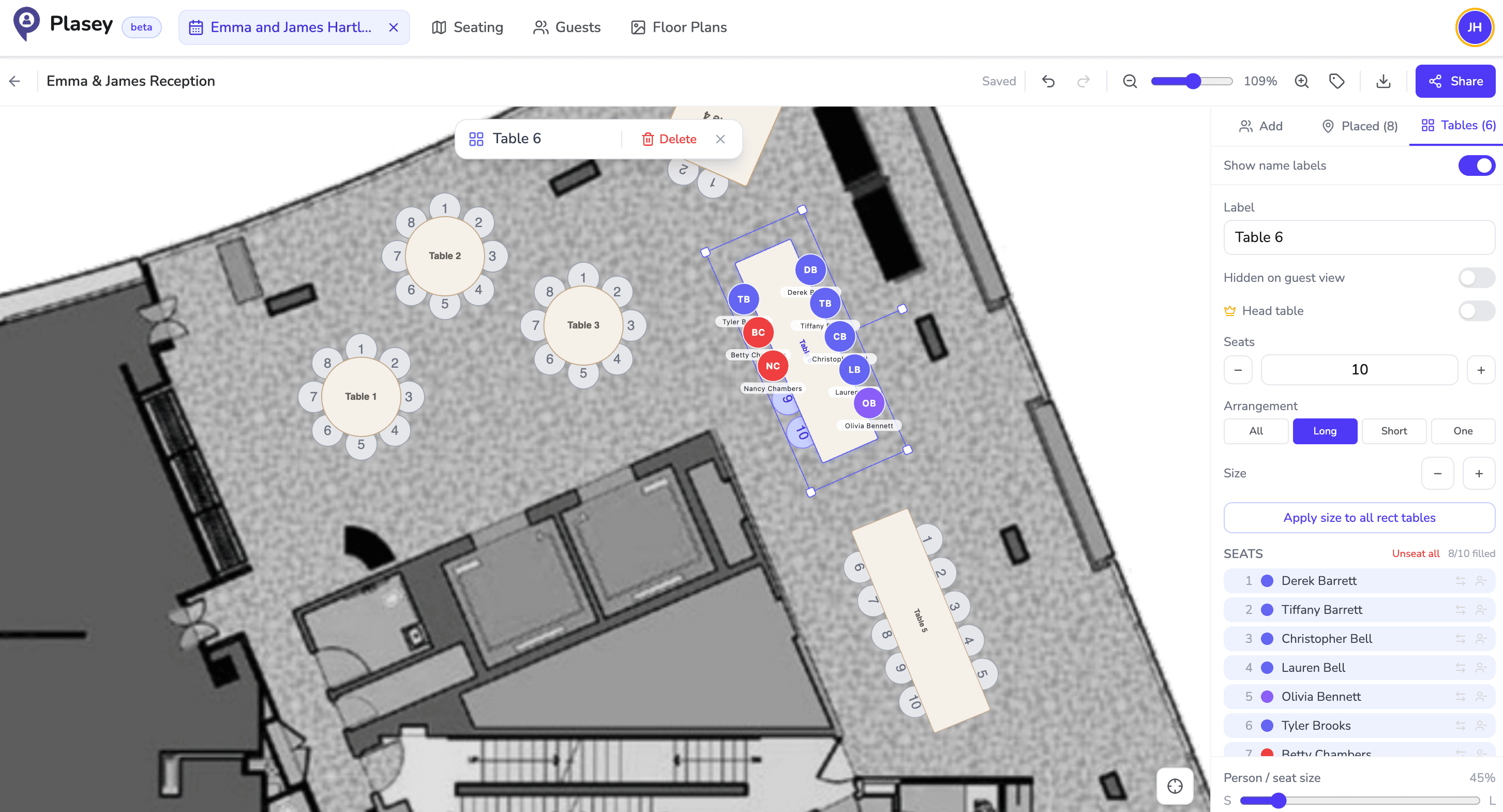
One floor plan. Every output above.
The editor is your source of truth. Drop in your venue’s actual floor plan, drag tables onto it, place guests at seats. Everything you’ve seen above — the kiosk, the four-PDF binder, the public guest view — flows from this one canvas.
- Drop in any venue floor plan (PNG, JPG, or PDF)
- Round, rectangular, or square tables — any seat count
- Meal choices and dietary tracking per guest
- Group and plus-one management
Simple pricing
Priced for your calendar, not your one event
Studio covers every event you run. License a single event when that’s all you need, or try it free on something small.
Studio
$99/mo
$83/mo billed annually
- 3 active events at a time
- Up to 250 guests per event
- Kiosk mode + the day-of binder
- Your branding on guest view + kiosk
Signature Event
$149
One-time · per event
- Up to 250 guests
- Kiosk mode for venue check-in
- The day-of binder — 4 PDF reports
- Past 7 events a year, Studio costs less
Your clients deserve better than a printed spreadsheet
Run your next event on Plasey and see how it holds up. Free to start — no credit card, no commitment on the rest of your calendar.
Start your first event